How can we help you?
Explore our knowledge base to learn how to master your Webhound Engine and scale your business.
Customising Your Lead Capture Forms in the Webhound Engine
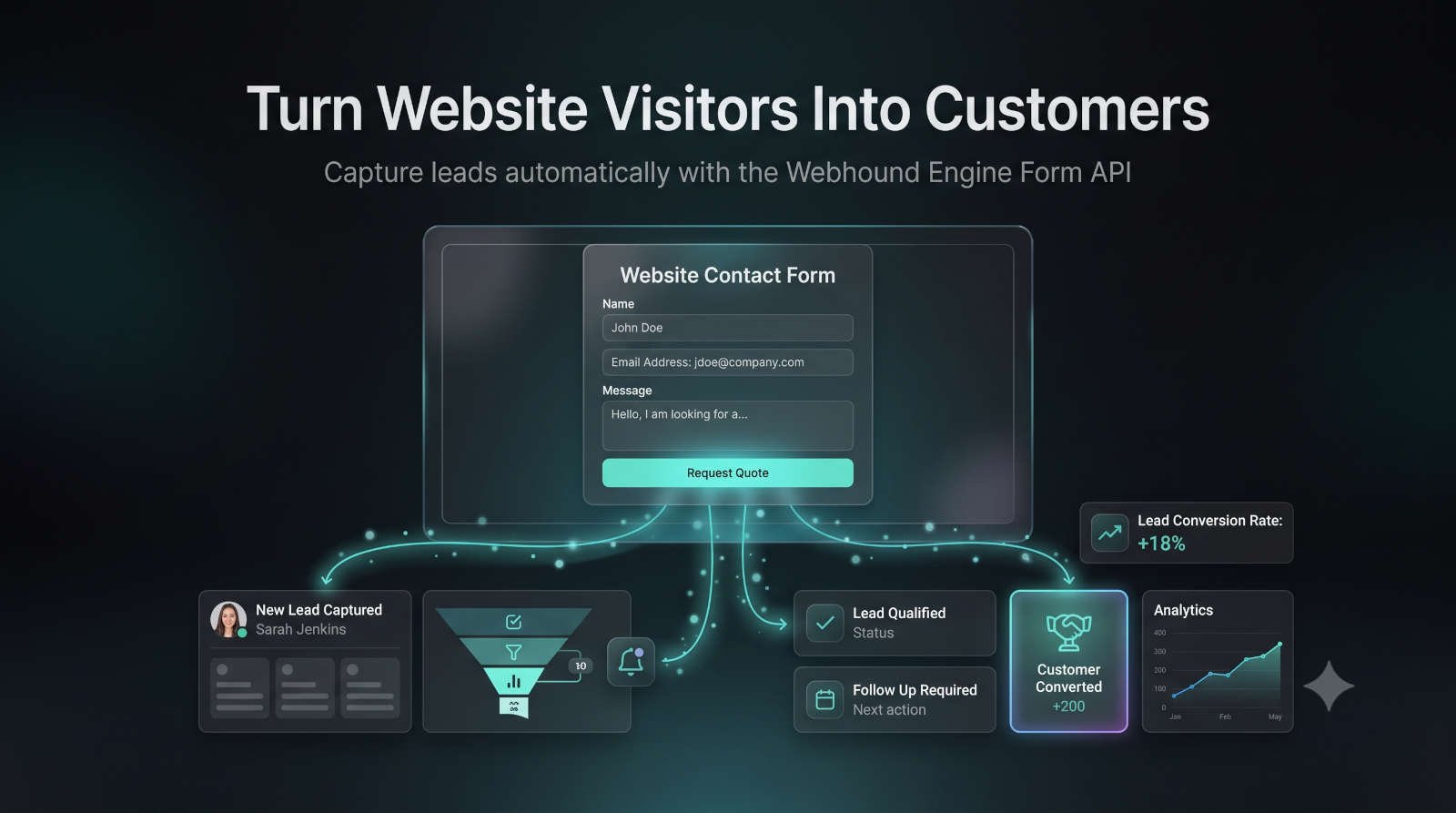
Turn Website Visitors Into Qualified Leads Your website is often the first interaction a potential customer has with your business. A well-designed lead capture form can turn anonymous visitors into valuable sales opportunities, while a poorly optimised form can cause potential customers to leave before making contact. The Webhound Engine Lead Capture Form API allows you to collect customer enquiries directly from your website and automatically send them into your built-in CRM. This means every enquiry is: Captured instantly Stored securely Available inside your Leads Hub Ready for follow-up Connected to your customer journey In this guide, we'll explain how to optimise your lead capture forms, improve conversion rates, and create a smoother experience for potential customers. What Is a Lead Capture Form? A lead capture form is a website form designed to collect information from visitors who are interested in your products or services. Common examples include: Contact forms Quote request forms Booking enquiry forms Consultation requests Service estimate forms Newsletter signups When a visitor completes your form, the Webhound Engine Form API automatically transfers the information into your CRM, allowing you to manage the enquiry and track it through your sales process. Why Form Optimisation Matters Every additional step a visitor has to complete creates friction. Your goal is not to collect every possible piece of information immediately, your goal is to start a conversation. A simple, user-friendly form will usually generate more enquiries than a long, complicated form that feels like an application. The best-performing lead capture forms balance two things: Conversion Rate How many visitors complete the form? Lead Quality How much useful information do you collect? Finding the right balance is key to creating effective lead generation funnels. 1. Keep Your Lead Capture Forms Simple One of the most common mistakes businesses make is asking for too much information too early. While it may seem useful to collect detailed customer information upfront, long forms can reduce completion rates because visitors feel they are committing too much time before they know your business. Start with the information you genuinely need. Recommended Basic Form Fields For most service businesses, we recommend starting with: Name Allows you to personalise your response and create a better customer experience. Email Address Provides a reliable way to follow up and continue the conversation. Phone Number Include this only when it is important for your sales process. For example: Emergency services High-value projects Consultation-based businesses Appointment scheduling Avoid asking for unnecessary information that creates friction. 2. Use Progressive Profiling for Better Lead Quality Some businesses need more information before they can provide an accurate response. Examples include: Project budgets Company size Property details Service requirements Timescales Specific customer needs Instead of placing all of these questions on the first form, consider using Progressive Profiling . How Progressive Profiling Works Rather than asking for everything immediately: Step 1 Capture the essential information first: Name Email Basic enquiry details Step 2 After the visitor submits the initial form, guide them to a secondary step where additional information can be collected. Step 3 The Webhound Engine CRM combines this information into one complete lead profile. This approach creates a smoother customer experience while still allowing your business to collect valuable sales information. 3. Create Forms Based on Customer Intent Different visitors have different levels of buying intent. Your form should match where the customer is in their journey. Low-Intent Visitors Examples: General enquiries Information requests Newsletter signups Recommended fields: Name Email Message High-Intent Visitors Examples: Quote requests Booking enquiries Consultation requests Recommended fields: Name Email Phone number Service required Project details Understanding customer intent helps you create forms that generate better-quality leads. 4. Optimise Your Call-to-Action Button The submit button is an important part of your conversion funnel. Avoid generic wording such as: Submit Send Continue Instead, use action-focused language that tells the visitor what happens next. Examples: Request My Quote Get My Free Estimate Book My Consultation Send My Enquiry Start My Project A clear call-to-action reduces uncertainty and encourages more visitors to complete the form. 5. Real-Time Lead Notifications Speed matters when converting enquiries into customers. Research consistently shows that businesses that respond quickly to new enquiries have a better chance of converting those opportunities. The Webhound Engine is designed to notify you as soon as a visitor completes your lead capture form. When a new lead arrives: The form submission is captured. The lead is added to your CRM. Your dashboard updates instantly. Notification emails are sent. This allows you to respond while your business is still fresh in the customer's mind. Configure Your Notification Settings To ensure you never miss a new enquiry: Open the Settings section. Review your notification preferences. Confirm your email address is correct. Save your changes Important Email Delivery Tip To ensure Webhound Engine notifications reach your inbox: Add the following email address to your contacts: noreply@webhound-media.co.uk If you don't see notifications, check: Spam folder Junk folder Email filtering rules Company email security settings 6. Test Your Lead Capture Forms Regularly A form that worked last month may not work today. Regular testing ensures your customer journey remains smooth. We recommend checking: Form submission works correctly Leads appear in your CRM Notifications are received Mobile users can complete the form Required fields work correctly A broken form can mean lost business opportunities. Mobile Optimisation Matters A large percentage of website visitors browse from mobile devices. Your lead capture forms should: Be easy to complete on smaller screens Avoid unnecessary typing Use clear field labels Load quickly Have large, easy-to-click buttons A mobile-friendly form creates a better customer experience and improves conversion opportunities. Best Practices for High-Converting Lead Forms To maximise your results: ✅ Keep forms short and simple ✅ Only request essential information ✅ Match forms to customer intent ✅ Use clear calls-to-action ✅ Respond quickly to new leads ✅ Test your forms regularly ✅ Monitor conversion rates inside your dashboard Turn More Visitors Into Customers Your website should do more than attract visitors. With the Webhound Engine Lead Capture Form API, every enquiry becomes a trackable opportunity inside your CRM. Capture leads automatically, respond faster, and build a more efficient sales process. Webhound Engine - More than a website. A business engine.
Getting Started with Webhound Engine: Your Business Dashboard
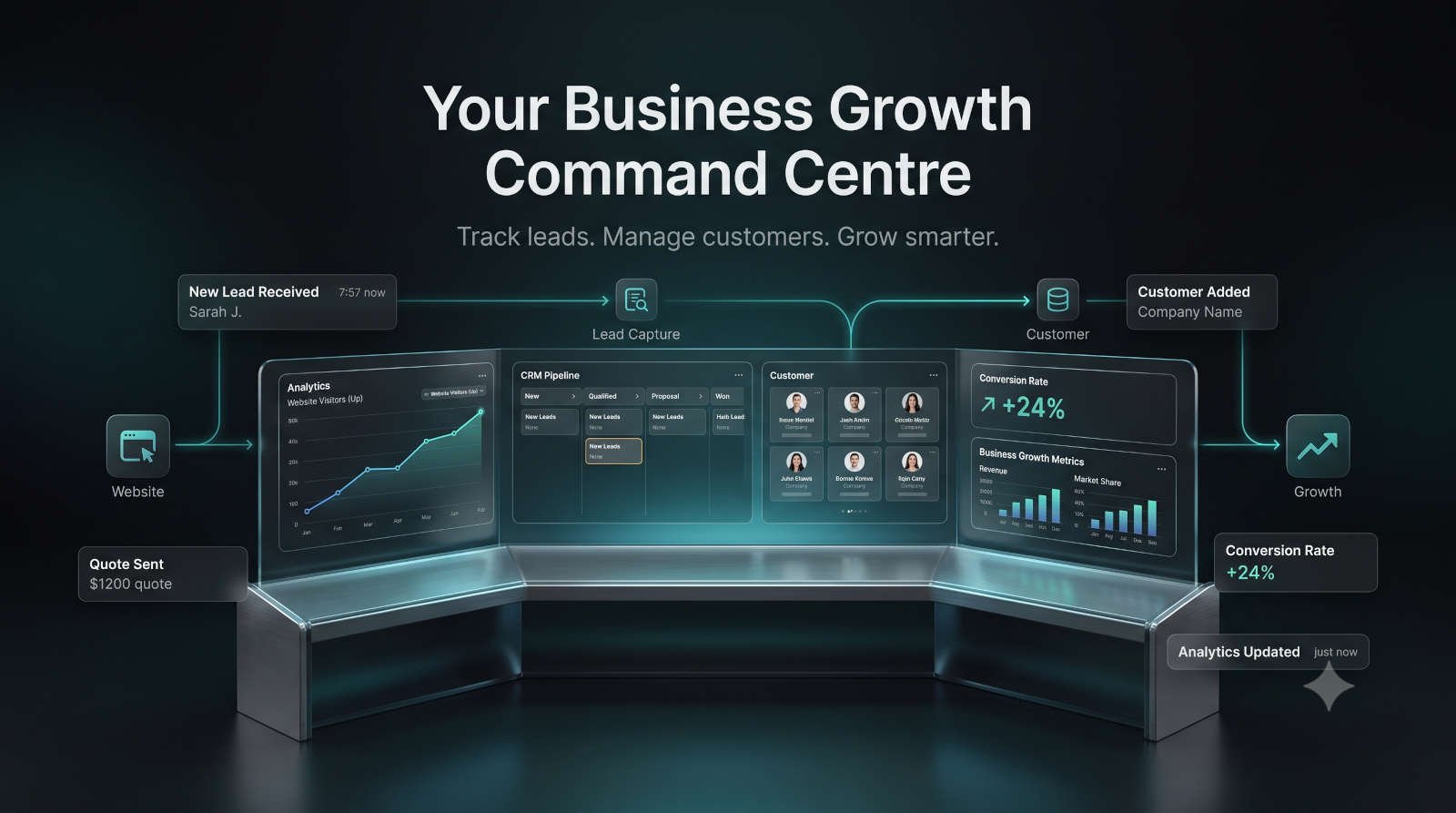
Welcome to the Webhound Engine Dashboard Your Complete Business Growth Platform for Managing Leads, Customers, and Website Performance Welcome to the Webhound Engine — the central hub designed to help service businesses capture more leads, understand customer behaviour, and streamline everyday operations. Unlike a traditional website that simply displays information, the Webhound Engine connects your online presence with powerful business tools including: Website performance analytics Lead generation tracking Customer relationship management (CRM) Sales pipeline management Automated customer communication Business growth insights This guide will introduce you to the core features of your Webhound Engine dashboard and explain how you can use each area to improve your marketing performance, manage enquiries, and grow your business. Understanding Your Webhound Engine Dashboard When you log into your account, you will be taken to your main dashboard. Your dashboard provides an overview of your business performance, allowing you to quickly understand how your website and marketing activities are performing. From here you can monitor: Website visitors New enquiries Active leads Conversion performance Customer activity Sales opportunities Having all of this information in one place removes the need to manually check multiple platforms and gives you a clearer view of your business growth. 1. Understanding Performance Analytics The first section you will see is Performance Analytics . Your analytics dashboard helps you understand how visitors interact with your website and how effectively your website converts visitors into potential customers. Instead of guessing whether your marketing is working, you can use real data to make better decisions. Daily Visitors The Daily Visitors metric shows how many people are visiting your website. Tracking website traffic helps you understand: Whether your marketing campaigns are generating interest Which periods bring the most visitors How your audience is engaging with your website Whether your online visibility is improving Regularly monitoring visitor numbers allows you to identify growth opportunities and understand changes in customer behaviour. Active Leads The Active Leads metric shows the number of potential customers currently engaging with your business. Every enquiry captured through your Webhound Engine lead generation tools can be tracked through your dashboard. This helps you: Quickly identify new opportunities Prioritise promising enquiries Follow up with potential customers Monitor your sales pipeline A lead is more valuable when it is acted upon quickly. The Webhound Engine helps ensure opportunities don't get lost in emails, spreadsheets, or forgotten conversations. Conversion Rate The Conversion Rate measures how effectively your website turns visitors into leads. For example: If 1,000 people visit your website and 50 submit an enquiry, your conversion rate is 5%. Monitoring your conversion rate helps you understand: How effective your website messaging is Whether your forms are generating enquiries How marketing improvements affect results Where your customer journey can be improved A high-performing website is not just about attracting visitors — it's about converting those visitors into real business opportunities. 2. Managing Your Built-In CRM The Webhound Engine includes a built-in Customer Relationship Management (CRM) system designed specifically for service businesses. Your CRM helps you organise customer enquiries, manage your sales pipeline, and keep track of every potential opportunity. Instead of managing leads across emails, spreadsheets, and multiple applications, everything is stored in one central location. Viewing Your Leads To access your customer enquiries: Open the Leads section from your dashboard sidebar. Browse all enquiries captured through your website. Select any lead to view additional information. Each lead profile provides important details such as: Customer information Contact details Project requirements Enquiry history Lead status Communication records This gives you a complete overview before contacting a potential customer. Managing Your Sales Pipeline Your CRM allows you to understand where each opportunity sits within your sales process. You can track leads from initial enquiry through to conversion. Typical stages may include: New enquiry Contacted Qualified lead Quote sent Customer won Keeping your pipeline organised helps you identify which opportunities need attention and prevents valuable enquiries from being missed. Best Practice: Follow Up Quickly Pro Tip: Contact new leads within 24 hours whenever possible. Research consistently shows that fast responses improve the chances of converting enquiries into customers. The Webhound Engine makes it easier to respond quickly by keeping all new opportunities visible in your dashboard. 3. Customising Your Webhound Engine Profile Your account settings allow you to personalise your Webhound Engine experience and ensure your business information remains accurate. Navigate to the Settings page to update: Your administrator profile Company details Business information Communication preferences Keeping your profile information updated ensures that automated communications and customer interactions maintain a professional and consistent brand experience. Why Keeping Your Business Information Updated Matters Accurate business information helps ensure: Customers receive correct details Automated messages represent your brand properly Your dashboard reflects your current business Customer communications remain professional Your Webhound Engine is designed to work as an extension of your business, so keeping your information current is essential. Getting the Most From Your Webhound Engine To maximise the benefits of your dashboard: Review Your Analytics Regularly Checking your performance metrics weekly helps you identify: Website growth trends Changes in visitor behaviour Successful marketing activities Areas needing improvement Keep Your CRM Updated A well-maintained CRM helps you: Stay organised Improve customer relationships Track opportunities Increase conversions Respond Quickly to Leads Fast communication builds trust and increases the likelihood of turning enquiries into paying customers. Need More Help? The Webhound Engine is designed to make managing your online business easier, but our support team is always available if you need assistance. If you have a question, experience an issue, or would like to suggest a new feature: Open Support Tickets from your dashboard. Click New Ticket . Describe your request. Submit your ticket. Our team will respond directly within the ticket conversation, and you will receive email notifications when updates are available. You can also explore our other tutorials for detailed guides covering individual Webhound Engine features. Start Building a Smarter Business The Webhound Engine brings your website, leads, customer data, and business insights together in one powerful platform. Stop relying on disconnected tools and manual processes. Build a system that helps your business capture opportunities, manage customers, and grow more efficiently. Webhound Engine - More than a website. A business engine.
How to Capture & Convert Leads with the Webhound Engine Form API
Automatically Turn Website Enquiries into Customers Every visitor who contacts your business is a potential customer. The Webhound Engine Form API allows you to capture enquiries directly from your website and automatically send them into your Webhound Dashboard, eliminating manual data entry and ensuring no opportunities are lost. Instead of checking emails, copying information into spreadsheets, or manually creating customer records, the Webhound Engine automates the entire process. Every enquiry becomes a trackable lead that can be managed from first contact through to becoming an active customer. What is the Webhound Engine Form API? The Form API connects your existing website forms directly to the Webhound Engine. Whenever someone submits a contact form, quote request, booking enquiry, or consultation request, their information is securely transmitted to your dashboard. The system automatically: Captures the enquiry Creates a new lead Stores customer information Organises your sales pipeline Makes the lead immediately available for follow-up Whether you're a plumber, electrician, builder, landscaper, cleaning company, consultant, or any other service business, every website enquiry becomes a managed business opportunity. Why Use the Form API? Many businesses still receive enquiries through email alone. The problem is that emails get lost. Important enquiries are forgotten. Follow-ups are delayed. Customer information becomes scattered across inboxes. The Webhound Engine removes these problems by creating a single central system for managing every lead. Benefits include: Automatic lead capture No manual data entry Centralised customer records Faster response times Better organisation Improved lead conversion Complete visibility over your sales pipeline Your website stops being a digital brochure and starts working as part of your business. Step 1: Find Your Unique API Snippet Every Webhound Engine account includes a unique API key. To locate yours: Log into your Webhound Dashboard. Open the Client Overview page. Locate your Form API Snippet . Your snippet contains a secure hidden input field similar to: <input type="hidden" name="apiKey" value="YOUR_UNIQUE_API_KEY"> This unique identifier tells the Webhound Engine which account should receive your website enquiries. Every customer receives their own unique API key. Step 2: Add the Hidden Input to Your Website Form Copy the hidden input field exactly as provided. Paste it inside your HTML form. For example: <form> ... <input type="hidden" name="apiKey" value="YOUR_UNIQUE_API_KEY"> </form> No additional JavaScript is required. Once installed, your website is connected to your Webhound Engine. Step 3: Visitor Submits Your Form When a potential customer completes your website form: They enter their details. They click Submit . The form securely sends the information to the Webhound Engine using HTTPS. The enquiry is processed instantly. The entire process happens automatically behind the scenes. Your customer experiences a normal contact form while your business benefits from automated lead management. Step 4: View New Leads in the Leads Hub Every successful form submission appears immediately inside your Leads Hub . Each lead includes information such as: Customer name Contact details Enquiry message Date submitted Current status Communication history Instead of searching through emails, all your enquiries are organised in one central location. This makes it easier to prioritise new opportunities and keep your sales process organised. Step 5: Manage Your Lead Pipeline The Leads Hub allows you to monitor every enquiry from initial contact through to becoming a paying customer. As conversations progress, you can update each lead's status to reflect where they are in your sales process. Typical stages may include: New Lead Contacted Qualified Quote Sent Awaiting Decision Ready to Convert Having a clear pipeline allows your team to understand which opportunities need attention and which customers are ready to move forward. Step 6: Convert Leads into Customers When a lead is ready to become a customer, simply click: Convert to Customer The Webhound Engine automatically: Creates a customer profile Transfers all lead information Preserves communication history Adds them to your Active Customers list Prepares them for future services and support There's no need to manually recreate customer records or copy information between systems. Everything moves seamlessly from lead to customer. Why This Matters Many businesses lose valuable time because their sales process relies on multiple disconnected tools. Website enquiries arrive in email. Customer information is copied into spreadsheets. Notes are stored elsewhere. Invoices are created in another system. The Webhound Engine eliminates these disconnected workflows by keeping everything together. One enquiry. One dashboard. One customer journey. Best Practices for Better Lead Conversion To maximise your success: Respond to new enquiries as quickly as possible. Keep your website forms simple. Regularly review your Leads Hub. Update lead statuses as conversations progress. Convert customers as soon as projects are confirmed. Monitor your analytics to improve conversion rates. Small improvements in response time and organisation can significantly increase the number of enquiries that become paying customers. Common Questions Can I use my existing website? Yes. The Form API is designed to work with your existing HTML forms, allowing you to connect your current website without rebuilding it. Is customer data secure? Yes. All form submissions are securely transmitted to the Webhound Engine using encrypted HTTPS connections. Can I track every enquiry? Absolutely. Every successful submission appears inside your Leads Hub, where you can monitor progress, communicate with customers, and manage your sales pipeline. Build a Website That Works for Your Business The Webhound Engine Form API transforms a simple contact form into a complete lead management system. Instead of simply collecting enquiries, your website becomes the starting point of an automated customer journey. Capture leads instantly. Track every opportunity. Convert enquiries into customers. Grow your business with confidence. Webhound Engine - More than a website. A business engine.